Medical CRM
2021
A web-based CRM platform designed for hospitals to manage their daily operations — patient records, nursing staff, visit scheduling, task assignments, and internal communication. The goal was to replace fragmented workflows with a single, unified tool that clinical and administrative staff could rely on throughout the day.
- Design a dashboard that surfaces the most urgent information — today's visits, pending tasks, and overdue reminders
- Build a staff archive with role-based filtering, visibility controls, and bulk actions
- Create a notification system for real-time updates across the team
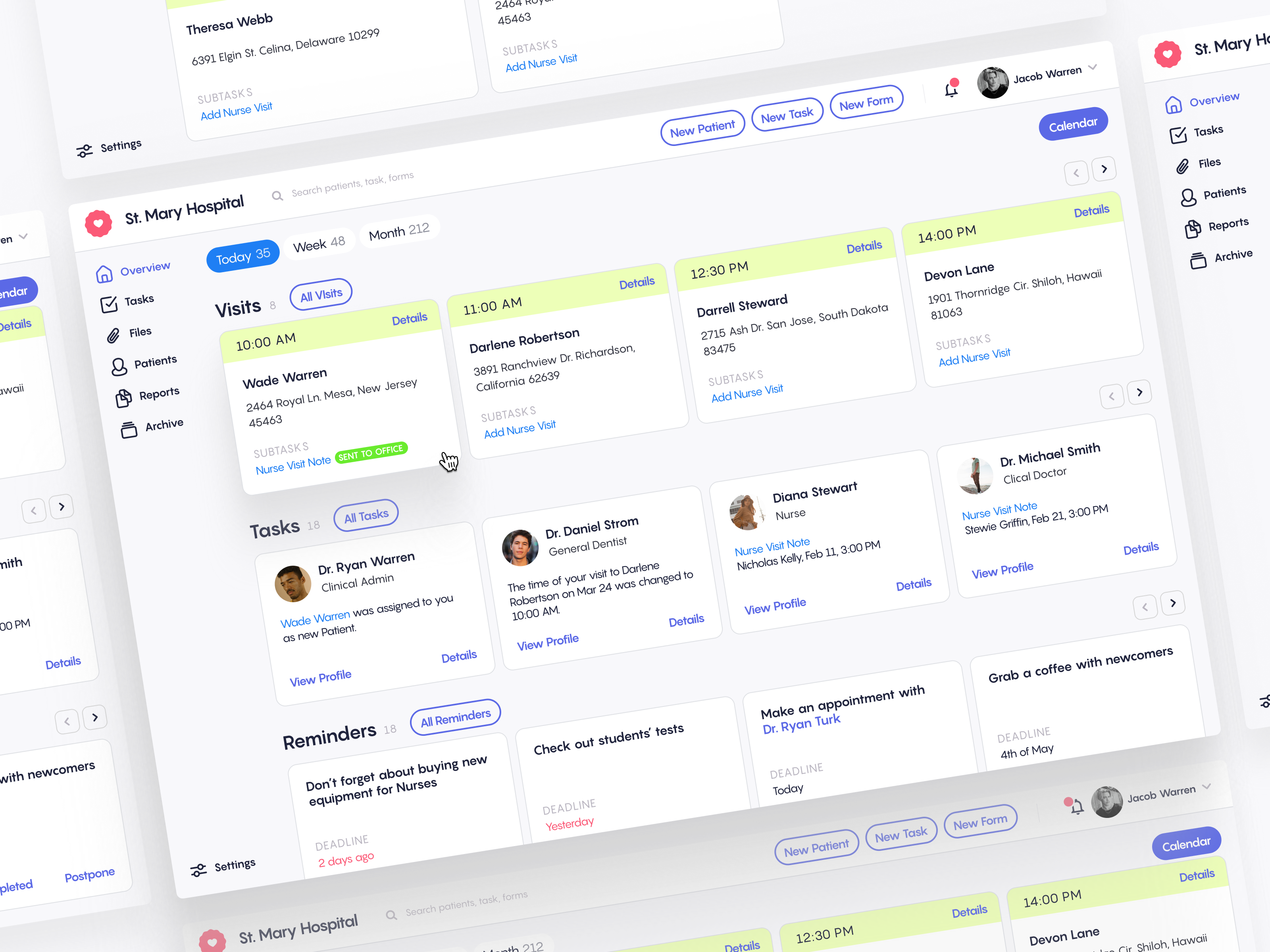
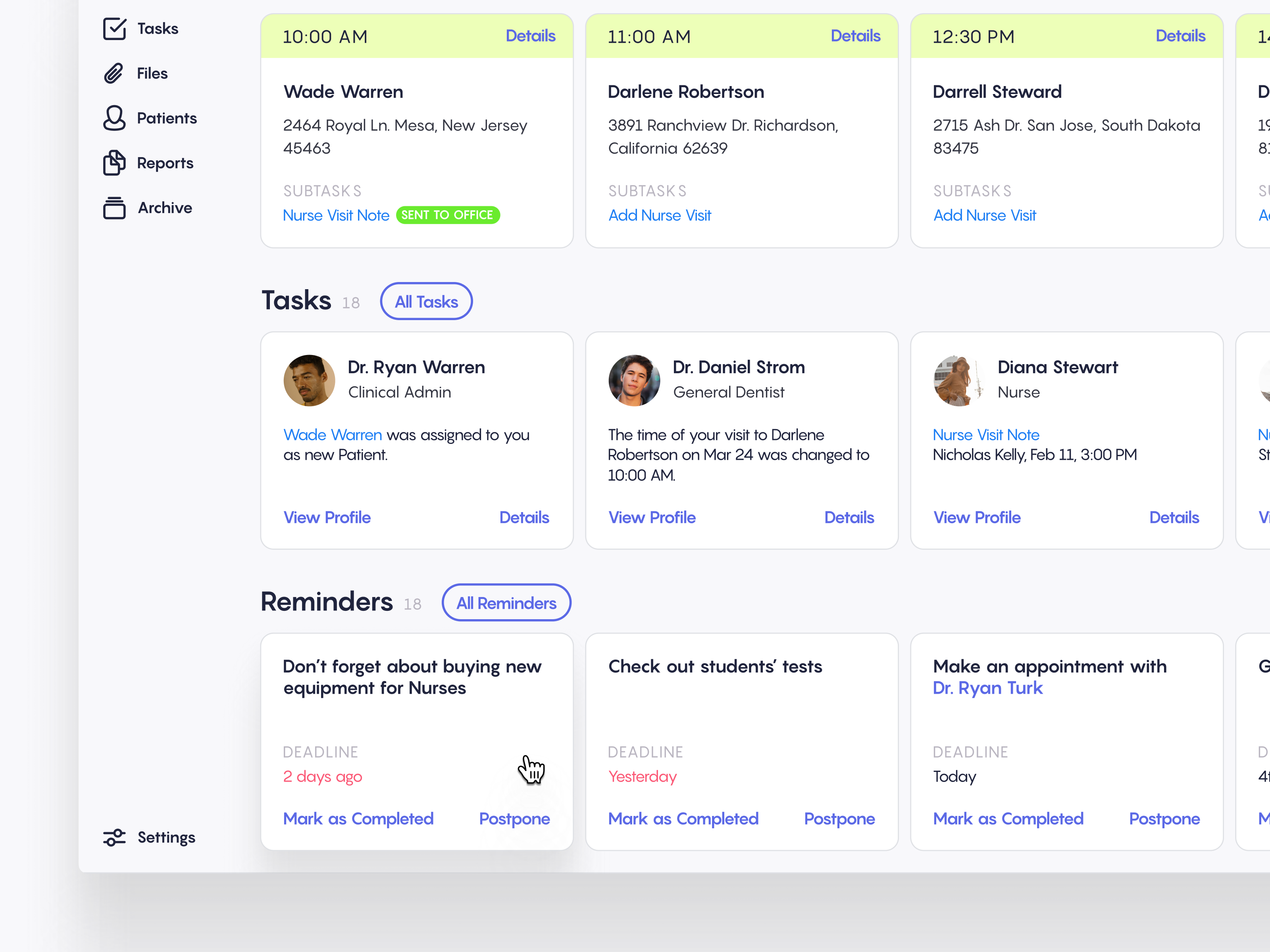
The overview screen is the hub of the platform. It opens with today's visits as time-blocked cards — each showing the patient name, address, and subtasks like nurse visit notes. Staff can toggle between Today, Week, and Month views and jump to a full calendar. Below the visits sit two more sections: Tasks (assigned to specific doctors or nurses with role badges) and Reminders with colour-coded deadline urgency. Everything is scannable at a glance so nurses starting a shift can immediately see what needs attention.
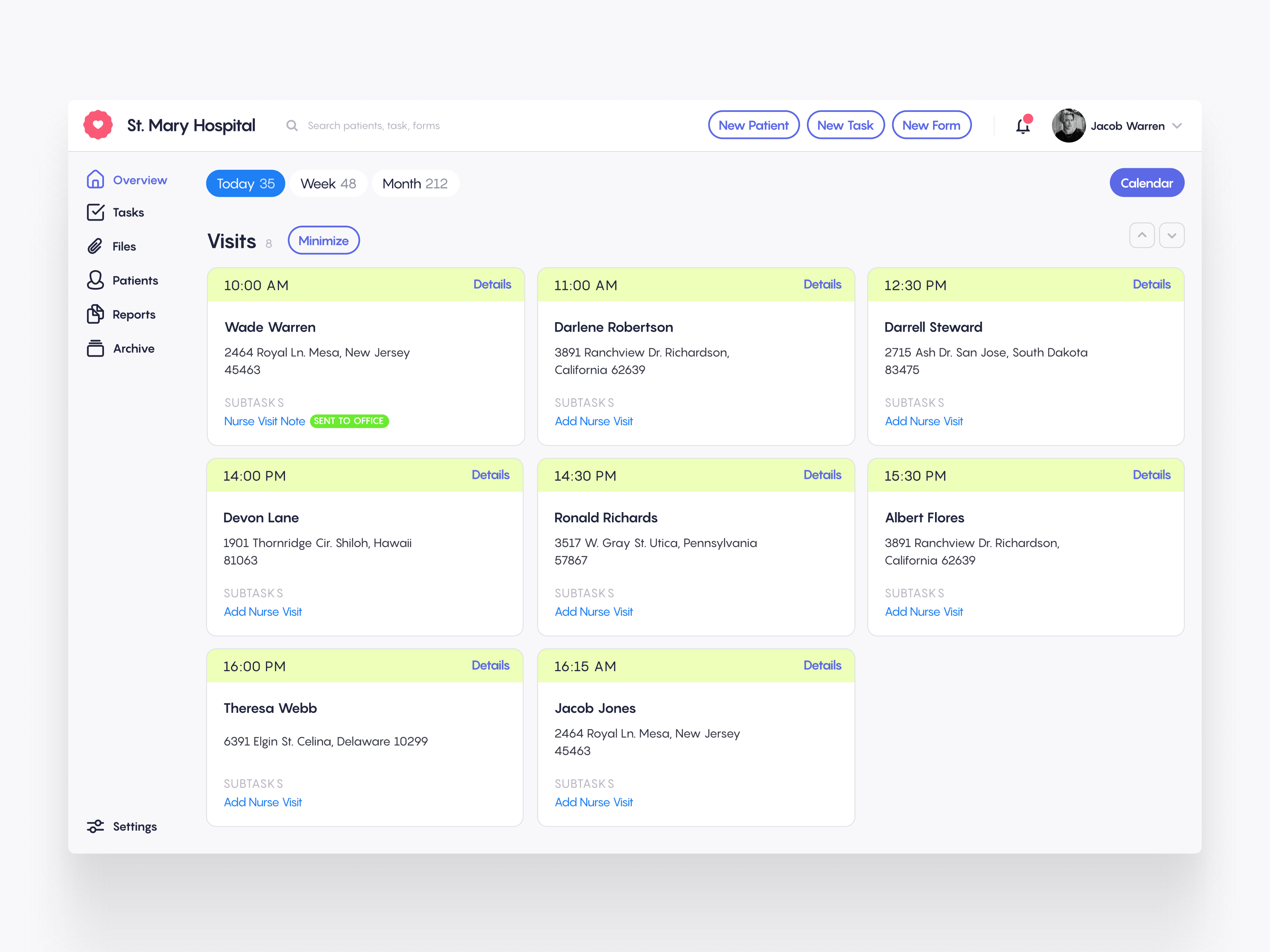
The visits view expands the schedule into a full card grid. Each visit card is colour-coded by time slot and displays the patient's name, full address, and any linked subtasks. Nurses can drill into details, mark visits as sent to office, or add new nurse visit notes directly from the card. The layout was designed to minimise clicks — the most common actions are always one tap away.
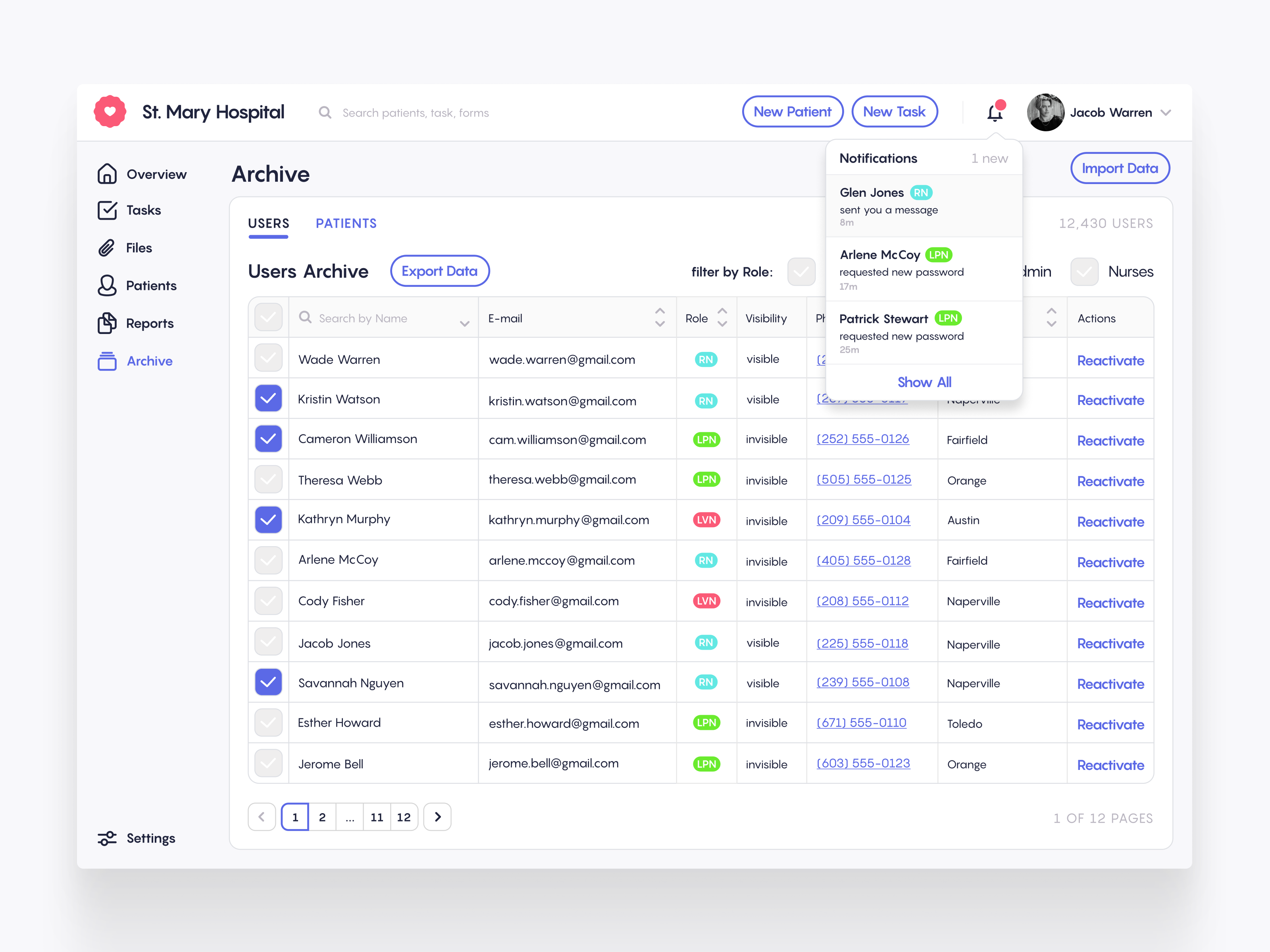
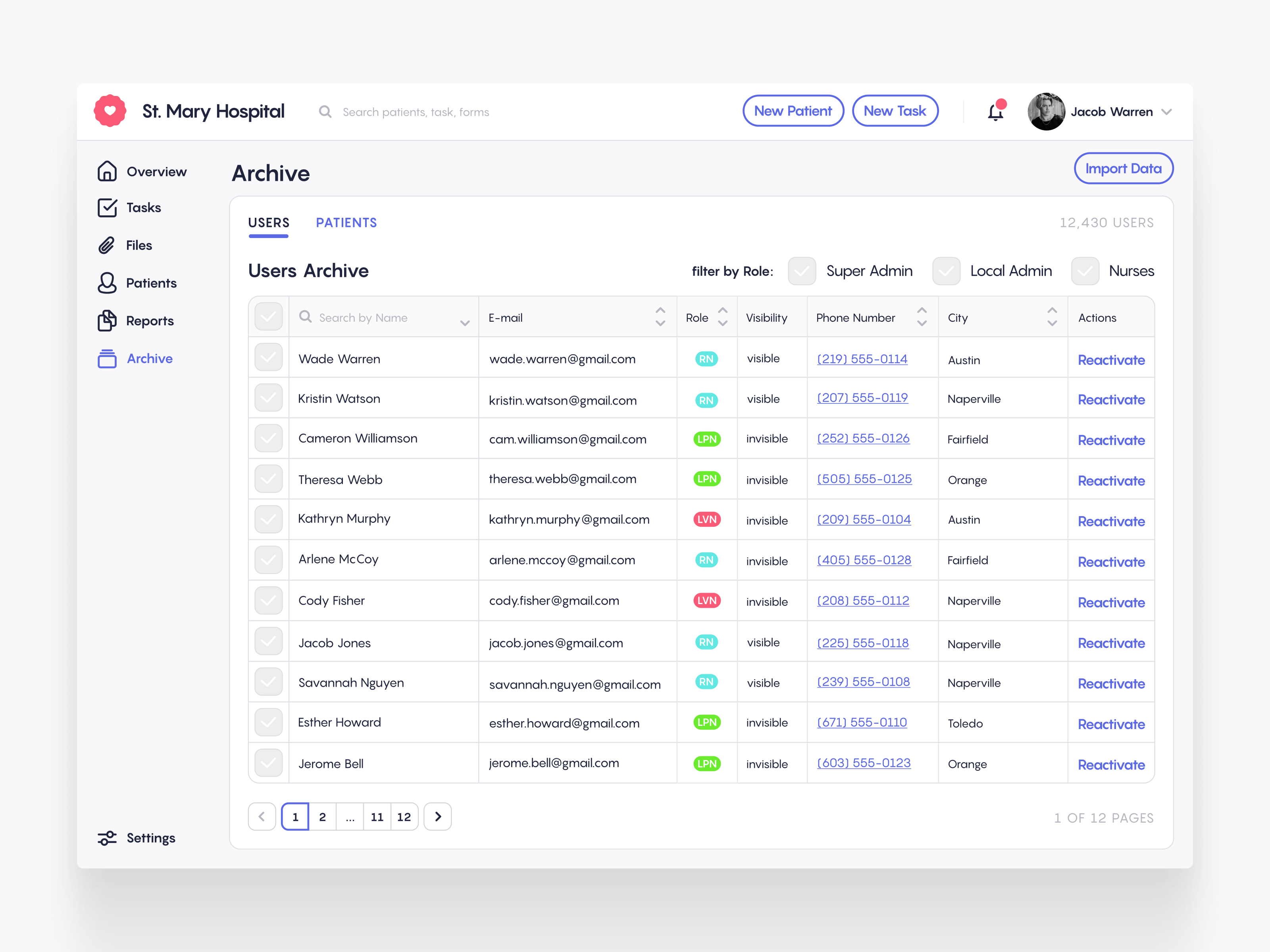
The archive manages the hospital's entire user base — over 12,000 staff members across roles like RN, LPN, and LVN. Admins can filter by role (Super Admin, Local Admin, Nurses), search by name, sort by any column, and toggle user visibility. Each row shows the essentials: email, role badge, visibility status, phone number, city, and a reactivation action. The Users and Patients tabs keep the two record types cleanly separated.
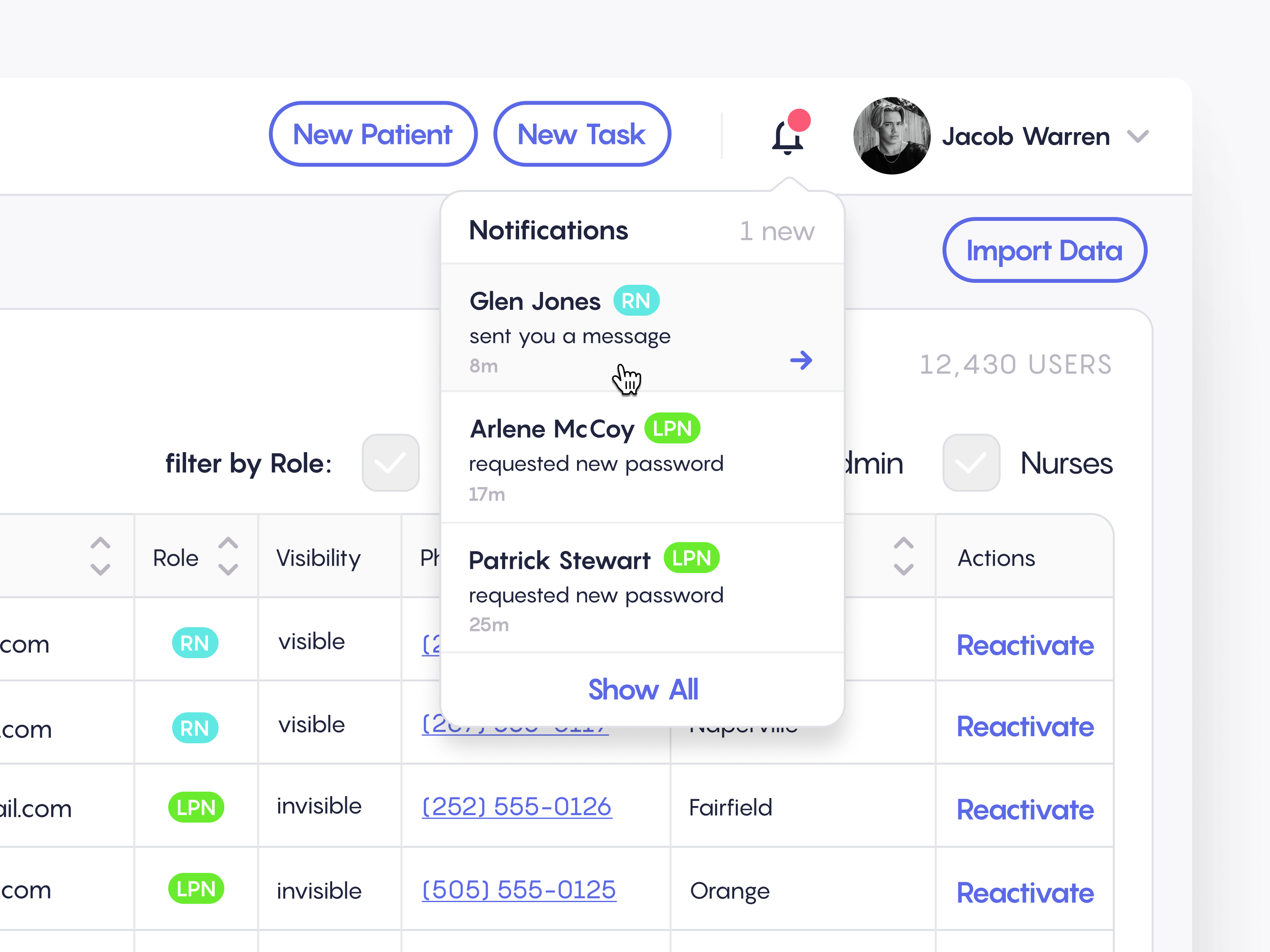
The notification dropdown surfaces real-time updates without pulling staff away from their current screen. Each notification shows who triggered it, their role badge, the action taken, and how long ago it happened — whether it's a new message from an RN or a password reset request from an LPN. A "Show All" link expands to the full notification centre for deeper review.